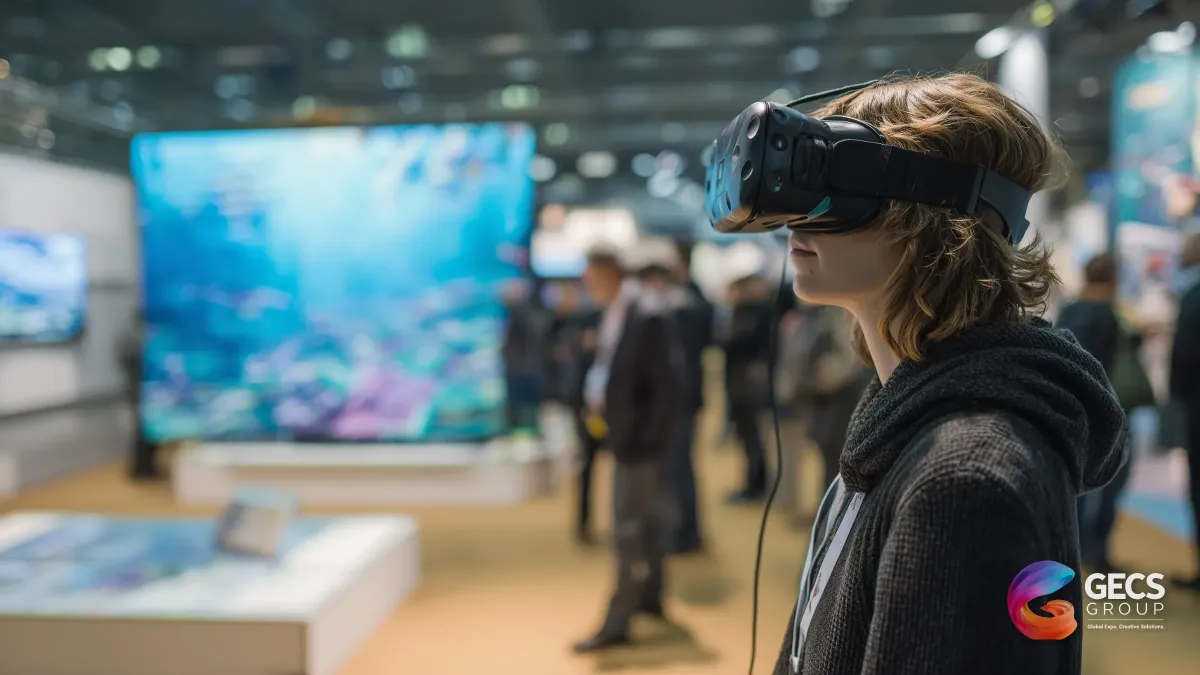
VR, augmented reality, configurators, online 3D stands and 360° tours: what really works at trade fairs, how much it costs and which mistakes to avoid.
In recent years trade fairs have filled up with headsets, interactive screens and “virtual stands”. Some of these technologies have become very effective sales tools; others have remained expensive experiments that attract curious people but not customers. The difference always comes down to the same question: does the technology help the visitor understand the product better, or is it just a special effect?
In this guide we bring some order to virtual stands, virtual reality (VR), augmented reality (AR), configurators, holograms and 360° tours. We look at how they work, when they are worth using, how much space and power they need, how much they cost, how to measure their results and which mistakes to avoid. For screens and LED walls, also read the guide to LED walls, lighting and audio.
In short: VR works for products that are large, dangerous or impossible to bring to the fair; augmented reality and configurators help sell products with many variants; an online virtual stand extends the fair before and after the event; everything must be built into the design of the physical stand, with dedicated space, power, connectivity and staff. Allow 3–6 weeks of production and a budget starting from a few thousand euros.
1. What we are talking about: the technologies in brief
Very different technologies end up under the “virtual” label. It is worth telling them apart clearly, because costs, space and results vary a lot.
| 🧩 Technology | ⚙️ What it does | 🔧 What you need |
|---|---|---|
| 🥽Virtual reality (VR) | Immerses the visitor in a 3D environment | Headsets, 3D content, an operator |
| 📱Augmented reality (AR) | Overlays 3D objects on the real world | Tablet or smartphone, 3D models |
| 🖱️Configurator | Customises the product in real time | Touchscreen, software, product data |
| 🌐Online virtual stand | Recreates the stand in 3D on the web | 3D renders, web platform |
| 🔄360° tour | Photographs the real stand in 360° | 360° camera, web page |
| ✨Holograms and 3D screens | Show objects “floating” in the air | Holographic fans or 3D display cases |
2. Virtual reality: when it really makes sense

With a VR headset the visitor “steps into” an industrial plant, walks through a building that has not been built yet, steers a boat or watches a machine weighing tens of tonnes in operation. This is where VR is at its best: when the product is too big, too expensive, dangerous or simply impossible to bring to the fair.
It works well for industry and machinery, construction and architecture, boating, energy plants, tourism and real estate. It works less well for small products that visitors can touch: in that case the real product always wins.
Today the headsets most used at trade fairs are standalone, meaning they do not need a connected computer: Meta Quest 3, Pico 4, HTC Vive Focus. For top-quality experiences, headsets connected to a powerful PC are still used. The content must be short: 2–4 minutes at most. Longer experiences create queues and tire people out.
3. Space, power and staff for VR

A VR station must be designed as part of the stand, not added at the last minute. You need a clear space of at least 2×2 m for each headset, a waiting area, a large screen showing others what the person wearing the headset sees, and an operator who explains, helps and cleans.
- Space: 4 m² per station, plus the waiting area; the floor must be free of cables.
- Power: sockets for charging the headsets in rotation; with PC-connected headsets, 500–800 W per station.
- Hygiene: sanitising wipes, disposable face covers, spare headsets.
- Safety: advise against use by young children and by people who suffer from vertigo or motion sickness; provide a chair.
- Staff: at least one dedicated operator for every 2–3 headsets.
The external screen is essential: it turns an individual experience into a show for those waiting and draws more people towards the stand.
4. Augmented reality: the product in 3D on a tablet

With augmented reality the visitor points a tablet or their own smartphone at the stand and sees the product in 3D overlaid on the real world: they can rotate it, open it, change its colour, see inside it or view its real size. No headsets are needed and the experience is immediate, suitable for everyone.
Today many AR experiences run directly in the browser (WebAR), without downloading an app: you just scan a QR code. The 3D models are prepared in standard formats such as GLB or glTF, often starting from the company’s CAD files. Visitors can open the experience again at home, after the fair, and show it to their colleagues: a big commercial advantage.
It is ideal for products with many variants, for internal components that cannot be seen, and for furniture and machinery that customers want to “see” in their own space.
5. Configurators and touchscreens

A large touchscreen with a configurator lets visitors choose models, colours, materials and accessories and see the result immediately. At the end the visitor enters their email and receives a summary: this way they are happy to leave their details, and the salesperson already has a clear idea of the request.
A configurator works well for furniture, vehicles, customisable machines, kitchens, doors and windows, and made-to-measure clothing. It can be the same one used on the website, adapted to a 55–75 inch vertical screen. Collecting data requires a clear privacy notice that complies with the GDPR.
6. The online virtual stand

A virtual stand is a 3D version of the stand that can be visited from the website with a mouse or smartphone. The visitor moves between products, opens product sheets, watches videos, downloads catalogues and books an appointment. During the pandemic many fairs held entirely virtual editions; today the virtual stand is used mainly to:
- present the stand to customers before the fair and set up appointments;
- let people who could not come visit the stand;
- create an online showroom available all year round.
A well-made virtual stand is not just a render to look at: it is a sales tool. Here are the most useful features.
| ⚙️ Feature | 🎯 What it is for |
|---|---|
| 🗂️Clickable product sheets | Exploring features, sizes and prices in more detail |
| 🎬Videos and demos | Showing the product in action |
| 📥Catalogue downloads | Collecting contacts in exchange for materials |
| 📅Appointment booking | Filling the diary before the fair |
| 💬Chat or video call | Talking to a salesperson right away |
| 📊Visit statistics | Understanding which products attract the most interest |
The ideal starting point is the 3D design of the real stand: the renders already exist, so the extra cost is limited. Some fairs offer their own digital platforms where each exhibitor can upload their virtual stand.
7. Video calls, live streams and social media content

A corner of the stand with good lighting, a clean background and a microphone lets you connect with distant customers and show products live. It is useful for foreign buyers who could not travel or for involving colleagues at head office during a negotiation.
Live streams on social media bring the stand to people who are not at the fair and create content you can reuse for weeks: short product videos, interviews, moments from the presentation. You need a reliable connection: the fair’s Wi-Fi is often slow and crowded, so it is worth ordering a dedicated line or using a 5G router.
8. 360° tours and holograms

With a 360° camera you can create a virtual tour of the finished stand in a few minutes, to publish on the website or send to customers. It is the cheapest way to show the stand to people who did not come and to keep a record of it for future projects.
The 360° tour can be enriched with clickable points on products, videos and contacts, becoming a small “real” version of the virtual stand. It is best to shoot it on the last day of set-up, with the stand perfectly clean and the lights on, before the public arrives.
Holograms and 3D display cases, on the other hand, show objects that seem to float in the air: they are very striking for jewellery, watches, cosmetics and product launches. Holographic fans are relatively cheap and can be seen from a distance, but they only work with specially prepared content and with ambient light that is not too strong.
Other eye-catching solutions are projections on the floor or walls that react to visitors’ movements, transparent screens that overlay information on the real product in a display case, and LED walls with fake 3D (anamorphic) content, widely used in public spaces. All these technologies catch the eye from a distance; their commercial value depends, as always, on how well they tell the product’s story and on what happens right afterwards: a salesperson ready to welcome the people who stopped to look.
9. How to integrate technology into the stand design

Technology must be designed together with the stand, from the very first sketch. The questions to ask are simple: where does the station go, how is it seen from the aisle, where do people wait, where do the cables run, where are the devices charged, who runs it.
- Place immersive experiences facing the aisle, with a screen showing what is happening.
- Plan a raised floor or cable ducts to hide the cables.
- Build touchscreens and totems into the furniture, instead of placing them on temporary stands.
- Link every experience to a sales action: a QR code, a form, an appointment.
- Test everything in the workshop before leaving, with the same connection you will have at the fair.
10. Interactive games and gamification
A very effective way to use technology at a fair is to turn it into a short game: a product quiz, a timed challenge in virtual reality, a digital wheel of fortune, a speed race on a simulator. The game attracts people, creates a small audience around the stand and, above all, is the perfect moment to collect contacts, because visitors are happy to leave their email to receive their score or enter a prize draw.
For it to work, the game must last 60–90 seconds at most, be understandable without explanations and be linked to the product: an assembly challenge for a components company, a route through the warehouse for a logistics company, a quiz on wine characteristics for a winery. A leaderboard on the big screen encourages competition and draws in more participants. Prizes must fit the brand: a product sample is worth more than a generic gadget.
11. Examples by sector
| 🏭 Sector | 🧩 Most useful technology | 💡 Example of use |
|---|---|---|
| ⚙️Machinery and industry | VR and augmented reality | Virtual visit to the production line, internal view of the machine |
| 🛋️Furniture and design | AR and configurator | The sofa in the customer’s living room, choice of fabrics and finishes |
| 🏗️Construction and architecture | VR | A walk through a building not yet built |
| 🚗Automotive and boating | Configurator and simulator | Customising the model, virtual test drive |
| 💄Cosmetics and fashion | AR mirrors | Virtual try-on of make-up, glasses or accessories |
| 🍷Food and wine | 360° tour and video | Virtual visit to the winery or the factory |
In every case, technology accompanies the real product; it does not replace it. Visitors still want to touch the fabric, taste the wine, see the real component. To choose the right stand for your sector, read the guide to the right stand for every sector.
12. Privacy, data and consent
Every experience that collects personal data (email, name, photos, videos) must comply with the GDPR. You need a short, clear privacy notice, visible before data is collected, and separate consent boxes for sending the summary and for marketing. If the experience takes photos or videos of visitors, specific consent to the use of images is required, especially if they will be published on social media. Data must be stored securely and only for as long as necessary. A serious supplier will prepare compliant texts and forms together with you.
13. How to choose the supplier
- Trade fair experience: working in a noisy, crowded hall is different from a demo in the office.
- Reusable content: ask for the source files and 3D models, so you can use them on your website and at future fairs.
- Support during the fair: a technician who can reach you in a few minutes is worth more than any special effect.
- Integration with the stand: the technology supplier must talk to the people who design and build the stand.
- Tests before the fair: insist on a full test run, with the same devices and the same connection.
14. Step by step: how to prepare a digital experience for the fair
- Define the goal (12–10 weeks before). Collecting contacts, explaining a complex product, launching something new, qualifying buyers. Just one main goal.
- Choose the right technology. Start from the product and the audience, not from the latest trend: a simple configurator often delivers more than an expensive VR experience.
- Prepare the content (10–6 weeks before). 3D models from CAD files, short texts, videos, translations into the visitors’ languages.
- Design the space in the stand. Stations, screens, waiting area, power, connectivity, storage for the devices.
- Connect the data collection. Forms, QR codes, badge scanning, automatic transfer to the CRM and a privacy notice.
- Test (2–1 weeks before). A full test with the same devices, without Wi-Fi, with people who do not know the experience.
- Train the staff. Everyone working on the stand must know how to start it, explain it and solve small problems.
- Reuse it after the fair. Publish the experience on the website, send it to the contacts you collected, use it in sales visits.
By following these steps, technology stops being an “image” cost and becomes a measurable sales tool that works before, during and after the fair. The budget should be planned together with the stand budget: it is often better to cut a few square metres or some finishes to have a well-made digital experience, rather than a beautiful but silent stand.
15. How much it costs
| 🧩 Solution | 💶 Indicative cost |
|---|---|
| 🥽VR station with headset and simple content | €2,000 to €8,000 |
| 🎨Custom VR experience with complex models | €10,000 to €40,000 |
| 📱Augmented reality experience (WebAR) for one product | €3,000 to €15,000 |
| 🖱️Touchscreen configurator | €2,500 to €10,000 |
| 🌐Online 3D virtual stand | €1,500 to €6,000 |
| 🔄360° virtual tour of the stand | €300 to €1,000 |
| 🎧Headset rental at the fair | €50 to €150 per headset per day |
Production times range from 2 weeks for simple solutions to 6 weeks or more for complex experiences. Once created, 3D content can be reused on the website, in sales presentations and at future fairs.
💬 Want to bring VR or a configurator to your stand? Tell us about your product: we will suggest the right solution. Ask for a proposal →
16. How to measure the results
Every technology must have a measurable goal. There are only a few numbers to collect: how many people tried the experience, how many contacts were collected, how long on average they stayed on the stand, how many requests for quotes arrived in the following weeks.
| 📊 Indicator | 📏 How it is measured |
|---|---|
| 🔢Uses of the experience | Counter in the software or kept by the operator |
| 📇Contacts collected | Forms, QR codes, badge scanning |
| ⏱️Average time on the stand | Observation or presence sensors |
| 👀Visits to the online experience after the fair | Web analytics (GA4) |
| 💰Quotes and orders generated | CRM, after 30–90 days |
Be wary of the “miraculous” figures you often read on suppliers’ websites: measure your own, comparing them with previous fairs. For the full calculation, read the guide to trade fair ROI.
17. The most common mistakes
- Technology without a purpose. The headset attracts curious people, but if it is not linked to the product it does not bring customers.
- Content that is too long. Beyond 4 minutes a queue forms and people leave.
- No operator. The visitor does not know how to use the headset and gives up.
- Relying on the fair’s Wi-Fi. Offline content or a dedicated connection is better.
- No contact collection. The experience ends and the visitor leaves without a trace.
- Forgetting hygiene and safety. Dirty headsets and cables on the floor spoil the experience.
- Last-minute testing. Technical problems are discovered at opening time.
Frequently asked questions
Quick answers to the questions we hear most often
Does a virtual stand replace the trade fair?
No: it complements it, before and after the event. Meeting in person remains the main reason to go to a fair.
Do you need an app for augmented reality?
Not necessarily any more: with WebAR you just scan a QR code and the experience opens in the browser.
How much space does a VR station need?
At least 2×2 m per headset, plus a waiting area and a screen visible from the aisle.
Can the content be reused after the fair?
Yes: 3D models, AR experiences and 360° tours can be used on the website, in presentations and at future fairs.
Is virtual reality suitable for everyone?
For almost everyone, but it is not recommended for young children or people who suffer from vertigo or motion sickness: always keep a chair nearby and an on-screen alternative.
How long does it take to prepare an experience?
From 2 weeks for simple solutions to 6 weeks or more for custom experiences with complex 3D models.
Do you integrate these technologies into the stand?
Yes, we design the spaces for VR, touchscreens and LED walls right from the project stage and coordinate with the content suppliers. Also read the guide to the turnkey stand.
Want a stand with interactive technologies?
We build VR, touchscreens and LED walls into the design from the start, with production in Italy and installation across Europe.